Send Money To & From Korea: Best Apps, Fees & Limits
Last Updated on September 25, 2026
The cheapest way to send money from Korea to the US is usually a licensed remittance app like SentBe or WireBarley rather than a bank wire, because the apps charge a small flat fee instead of stacked sending, intermediary, and receiving fees. To send money to Korea from the US, Wise and WireBarley both deliver straight to Korean bank accounts, often within minutes. If you’re a foreign resident of Korea, expect a $5,000 cap per transfer on remittance apps.
I was working on a trends report recently and one of the sections was on apps for people sending money to/from Korea. I have lived in Korea for almost 20 years and way back at the beginning, the only way to transfer money outside of Korea was to go into the bank and initiate a international remittance with the teller. The process took some paperwork each time. It got a bit easier over time to send money abroad from Korea but nowhere near what you can do now.
I had gotten so used to using the bank systems that I didn’t realize there were new and amazing startups, companies, and apps to transfer money outside of Korea. To top it off, these global money transfer options are much cheaper than the bank remittance option too.
And in 2026, the rules themselves changed in a big way (more on that below), so even if you’ve been sending money home for years, some of what you know is probably out of date.

So, let me fill you in on all that I learned about the banking apps in Korea that are helping YOU send money abroad easily, quickly, and for lower fees too. And if you’re on the other side of the ocean trying to get money TO someone in Korea, I’ve got you covered in the second half of this guide.
Find the best app to send money to/from Korea below:
- What Changed for Korean Money Transfers in 2026
- Which Option Is Best for You?
- Before You Send: What You’ll Need
- Part 1: How To Send Money From Korea
- Part 2: How To Send Money To Korea
- What Your Recipient in Korea Needs To Give You
- Korean Bank SWIFT Codes
- Can I Use Venmo, Zelle, or PayPal To Send Money to Korea?
- How Long Does It Take To Send Money To Korea?
- Paying a Korean Bank Account as a Tourist
- Money & American Taxes Reminder
- FAQ
(This post contains affiliate links, which means I receive a certain percentage of a sale if you purchase after clicking at no cost to you. Thank you for your support.)
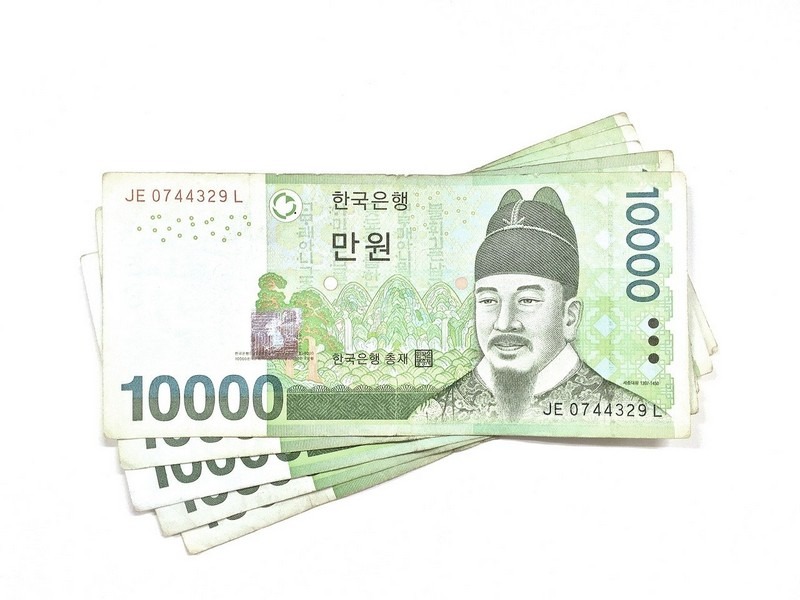
What Changed for Korean Money Transfers in 2026
On January 1, 2026, Korea made the biggest change to overseas remittance rules in decades. Here are the updates that effect foreigners in Korea or people sending money to Korea the most.
The “one remittance bank” rule is gone (for Korean citizens). Though this doesn’t necessarily effect foreigners in Korea, I’m adding it because you might just hear the first part and not hear the second part. For 26 years, Korean residents had to designate a single bank (거래외국환은행 지정) to send more than $5,000 at a time without paperwork. That system has been abolished for Korean nationals, so they can now use any mix of banks and apps.
Important for foreigners: The abolition of the single designated bank and the new $100,000 limit apply primarily to Korean residents. Foreign residents and non-residents generally remain under separate, more restrictive guidelines. So if you’re a foreigner and you’ve seen headlines about “no more designated bank,” don’t assume they apply to you. Check with your bank before making a large transfer.
One combined yearly limit (for Korean citizens). Korean-national residents can now send up to $100,000 a year without documentation, and that $100,000 is shared across every bank, card company, brokerage, and remittance app. Before, banks and apps had separate limits, which let people spread transfers around.
Everything is tracked in one system. The Bank of Korea’s new Overseas Remittance Integration System (ORIS, 해외송금 통합관리시스템) tracks each person’s transfers across all institutions.
Foreigners now need passport verification. Under ORIS, foreign nationals are identified by passport number, so remittance apps started requiring passport verification in 2026. If you’ve renewed your passport, you’ll likely need to update it in each app before you can send again.
Foreign residents still have a $5,000 per-transfer cap on apps. The per-transfer cap on remittance apps was lifted for Korean nationals, but it still applies to foreign residents. I can confirm this one personally. I’ve used SentBe multiple times over the past few months and the $5,000 limit per transfer still applies to me as a foreign resident.
Which Option Is Best for You?
| Your situation | Best starting point | Why |
|---|---|---|
| Foreign resident sending salary home regularly | A remittance app like SentBe or WireBarley | Low flat fees, fast, set it up once |
| Sending more than $5,000 at once as a foreign resident | Your Korean bank, with documents ready (or several app transfers) | Apps cap foreigners at $5,000 per transfer |
| Sending a large one-time amount (key money, a house down payment) | Your Korean bank | Handles evidence-based transfers above the no-paperwork limits |
| Family or friends in the US sending to someone in Korea | Wise or WireBarley | Both deliver straight to Korean bank accounts |
| Paying a Korean university language school from abroad | Creatrip Payment Service | Pay tuition by credit card; Creatrip transfers it from a Korean account |
| A tourist paying a Korean business by bank transfer | Wise to a Korean account, or a proxy payment service | See the tourist section below |
| The recipient needs cash, not a bank deposit | Western Union or MoneyGram | The only mainstream cash pickup options |
Before You Send: What You’ll Need
If you’re in Korea and sending money out, you’ll need your ARC (Alien Registration Card, 외국인등록증), a Korean bank account in your name, a Korean phone number in your name for identity verification, and your passport verified in the app. Then you’ll need your recipient’s full name, bank name, account number, and usually the bank’s SWIFT code and address.

Part 1: How To Send Money From Korea
Why You Should Send Money Home From Korea via Apps Instead of Directly at Your Bank
During my first few years in Korea, I was sending money home to pay off student loans in the US. In the past few years while in Korea, I’ve been sending money home to work toward my long-term savings goals. If going into your bank in Korea sounds daunting, because it can be but it can also just take a lot of time which you may not have in your day, then go the app route. Also, the apps are cheaper so there’s that too.
The Korean banking system can be a bit confusing. I will say that banks in Korea have English services so if your teller doesn’t speak English when you arrive, just ask them to call their English helpline and they’ll use a translator to assist you.
Something else to note about going the bank route. For years, you could only have ONE remittance bank, so you had to make sure it was the one you wanted to keep going to. That rule was scrapped for Korean citizens in 2026, but if you’re a foreigner sending your salary home, ask your bank whether you still need to register it for that purpose.
Korea Money Transfer Limits in 2026
The limits depend on whether you’re a Korean national or a foreign resident, and this is where a lot of English-language guides get it wrong.
| Korean-national residents | Foreign residents | |
|---|---|---|
| Per transfer on remittance apps | No legal cap (each app sets its own) | $5,000 |
| Yearly without documents | $100,000 combined across all institutions | $50,000 |
| Above the limit | Bank transfers with supporting documents | Bank transfers with supporting documents (usually proof of income, like your employment contract or tax withholding receipt) |
| Reported to the National Tax Service | Yearly total above $10,000 | Yearly total above $10,000 |
If you need to send more than $5,000 at once as a foreigner (say, you’re moving home and want to take your savings with you), plan ahead. Go to your bank with your documents rather than trying to squeeze it through an app.
Bank Remittance / Wire Transfer
You can sign up for a remittance account at your Korean bank account. This is what I used for a decade before finding the app options. I got it set up so that I could transfer abroad directly via the ATM of my bank, so I didn’t have to go in every time at least.
Transfer fees or wire fees add up on this options though as they are taken at both the sending and receiving ends. The fees can vary but are usually between W8,000 and W30,000. That usually breaks down into a telegraph fee, a sending fee, a fee from any intermediary bank the money passes through, and sometimes an incoming wire fee at your bank back home. The exchange rate your bank gives you matters too, since that’s a hidden cost that’s easy to overlook.
You can set up this account directly at your Korean bank. Wire transfers usually take 2-3 days to show up.
When a bank still makes sense: If you’re sending more than the app limits allow, sending documented money like tuition or a home purchase, or you simply want everything with the bank you already use. Many Korean bank apps (KB, Shinhan, Woori, Hana, KakaoBank) now let you send overseas remittances in the app rather than at the counter, and KakaoBank’s runs 24/7 apart from a short nightly maintenance window.

Apps for sending money to/from Korea
There are several money-transferring apps available in Korea and if my trend research is good, then there are definitely more to come. It’s just going to get easier and easier to send money abroad from Korea.
Make sure you check that apps are verified before downloading. The apps below are licensed small overseas remittance businesses (소액해외송금업체) in Korea.
SentBe
- Best for: Foreign residents sending salary home regularly.
- Watch out for: The $5,000 per-transfer cap for foreigners.
Sentbe quickly became a major player in overseas remittances. Sentbe is a fintech company that is especially popular with expats in Korea because it’s used in so many countries around the world now (more than 50 countries as of 2026).
SentBe is my go-to for sending money from Korea to the US. I use it multiple times a year, and it’s still the app I’d point most expats in Korea toward. As a foreign resident, there is a transfer limit of $5,000 per transaction. Korean nationals no longer have a legal per-transfer cap as of 2026.
If you’re sending money to the US, the transfer fee is a flat W5,000, or W2,500 if you’re okay with waiting an extra day. SentBe takes anywhere from 1 day to 3 days, usually depending if I send it on a Monday vs. a Friday, for example. This is one of the cheapest options for transferring so keep that in mind when reading about the others.
Cheaper, faster, reliable. Check out more info about SentBe here.
How To Get Started:
- Download the app or sign up on the SentBe website.
- Sign up for an account and fill in your personal information including your phone number, passport number, or ARC.
- Enter your Korean bank information and SentBe will send W1,000 to verify it’s your account.
- Begin sending money. Express transfer takes just a day and regular transfers take two days.

WireBarley
- Best for: Expats who want one app for both directions.
- Watch out for: The same $5,000 per-transfer cap for foreign residents applies.
The great thing about WireBarley is the very minimal fees. Ever take stock of how many fees are taken out when you transfer money via your bank? WireBarley is way cheaper, saving you money, and on top of that it’s fast, only taking a day or two to show up in your bank account. Note that it does “take longer” if you send money on the weekends… same as if you send money from your local bank on that note.
WireBarley works in both directions. It’s one of the few apps that works well whether you’re sending money out of Korea or someone is sending money in (see Part 2). It also has a wallet feature that lets you convert and hold money when the exchange rate is good and send it later.
How To Get Started:
- Sign up and download the app.
- Sign up for an account and fill in your personal information.
- Set your outgoing country as South Korea and your receiving country and fill in your bank information.
- Wait to be verified.
- You can begin sending money directly on the app by just selecting the recipient and choosing the amount and it’s that easy.
Moin (모인)
- Best for: Students and parents paying tuition abroad, and anyone who wants rate alerts.
- Watch out for: Confirm foreign-resident eligibility before downloading.
Moin is a Korean remittance fintech that has held its overseas remittance license since 2016. It’s a licensed small-sum overseas remittance provider registered with Korea’s finance ministry, and it’s the only Korean remittance company listed on the World Bank’s Remittance Prices Worldwide index, which compares the cost of sending money between countries. Moin currently sends to 60 countries in 33 currencies.
A few features stand out. Moin sends straight to local banks rather than routing through intermediary banks, which is where a lot of bank wire fees come from. It says its fees run up to 90% lower than banks. There’s a rate alert feature that notifies you when the exchange rate hits your target, which is handy with how much the won has been moving. And if you’re a student (or a parent paying tuition abroad), Moin offers discounted fees after a quick student verification.
I haven’t used Moin myself yet, so compare it against SentBe and WireBarley on the day you send.

Western Union
- Best for: Recipients who need cash pickup.
- Watch out for: Higher total cost than the remittance apps.
As a well-known money transfer company and used by people all over the world, it’s also available right here in Korea. The transfer fee on this one can fluctuate depending on how much you’re sending. As a global company, their app offers real-time views of exchange rates which makes calculating the total amount more convenient. This is generally a more expensive option than the ones mentioned above.
FYI, in Korea, you usually send Western Union transfers through a Korean bank rather than a standalone Western Union account. KakaoBank, KB Kookmin, IBK, NH Nonghyup, Hana, and BNK Busan Bank all offer Western Union transfers, and KakaoBank lets you do it right in the app. The big advantage is cash pickup, so the recipient doesn’t need a bank account at all.
How To Get Started:
- Sign up and register for a free account on their website or via the mobile app.
- Enter your bank information and the recipient information.
- Confirm the transfer and then Western Union will send you real-time updates about your transaction.
MoneyGram
Similar to Western Union, MoneyGram is a financial service company that is well known around the world and has transfer options for over 200 countries and territories. Use the app to set up automatic transfers on a weekly or monthly basis if you have some student loans to pay back. This is a more expensive option than the ones mentioned above.
How To Get Started:
- Sign up and register for an account on their website or via the mobile app.
- Enter your personal information and banking information.
- Hit send and wait for a receipt of funds transferred.
Other Remittance Apps Worth Comparing
I haven’t personally used these, but they’re licensed in Korea and popular with foreign residents, so they’re worth comparing on the day you send: Hanpass (한패스), GME Remit, and E9Pay. Several of them offer apps in multiple languages, which helps if English isn’t your first language either.
Part 2: How To Send Money To Korea
To send money to Korea from the US, use an online transfer service like Wise or WireBarley. Both deliver Korean won straight into Korean bank accounts, usually within minutes, and cost less than a US bank wire. You’ll need the recipient’s name in English, their bank, and account number, and Wise also asks for their date of birth.
Wise (previously Transferwise)
- Best for: Family and friends abroad sending to Korea, and travelers.
- Watch out for: Can’t send from Korea; the recipient may need to complete PayGate verification.
Offering money transfers at the mid-market exchange rate with a transparent fee, you can transfer from one account to another in a matter of hours and you can have multiple currency accounts. If you need to send more money TO Korea than out of Korea, this is probably the best option for you.
I’ve used Wise to send money from the US to Korea, and it’s been very useful. One important thing to know: Wise can’t currently send money FROM Korean won, so if you live in Korea and want to send money home, use one of the apps in Part 1 instead. Wise does let you add Korean bank accounts as recipients, and I’m planning to test what else is possible with a Korean account.
They’ll even show you how much you’ll save by using their service compared to other bank transfer services. For a full article on why I use Wise whenever I travel to get my Korean Won, USD, and Euro, check out this guide to the Wise card.
Heads up for your recipient. Wise sends money into Korea through a local partner called PayGate. PayGate may text or email your recipient to verify their identity, and if they don’t complete it within 2 working days, the transfer won’t go through. Give them a heads up so they don’t ignore the message as spam.
How To Get Started:
- Register for an account and verify your identity.
- Select the type of currency that you’re transferring and enter the amount.
- Fill out the recipient information and the type of transfer you want to do: bank, debit, or credit card transfer.
- Hit send, and you’ll receive a receipt of confirmation of payment. As simple as that.
WireBarley From Abroad
WireBarley is a Korean company that started out focused on sending money into Korea. The company says most transfers from the US, Canada, Australia, New Zealand, and Vietnam now reach Korean accounts within 10 minutes, though identity checks or bank maintenance can slow things down.
Remitly
Remitly is another popular option for sending money from the US to Korean bank accounts. I haven’t used it myself, so compare it with Wise and WireBarley on the day you send.
Western Union and MoneyGram From Abroad
Both work for sending to Korea, and they’re the go-to if the recipient wants cash. For bank deposits, they tend to cost more than Wise or WireBarley.
What Your Recipient in Korea Needs To Give You
Before you send anything, get these details from the person in Korea. A mismatch in the name spelling is the most common reason transfers get delayed.
| Information | Notes |
|---|---|
| Full name in English | Exactly as it appears on their bank account |
| Bank name | For example, KB Kookmin, Shinhan, Woori, Hana, NH, or KakaoBank |
| Account number | |
| Date of birth | Required by Wise and must match the bank’s records |
| Phone number and email | Wise’s partner PayGate may contact the recipient to verify |
| SWIFT code | Needed for bank wires (see the table below); apps don’t always ask |
| Address | Some bank wires require it |
For the person receiving in Korea: If a transfer is larger than $5,000, your Korean bank may ask you to confirm the reason for the money before it’s deposited (in the app, this is usually called something like “해외송금 받기” or receiving an overseas remittance). If you receive regular transfers over $5,000 from the same sender for the same reason, some banks like KakaoBank let you set up automatic receiving so you don’t have to confirm each time.
Korean Bank SWIFT Codes
You’ll need these for a bank wire to Korea. Always double-check with your recipient’s bank, since some banks use different codes for different branches.
| Bank | Korean | SWIFT/BIC |
|---|---|---|
| KB Kookmin Bank | KB국민은행 | CZNBKRSE |
| Shinhan Bank | 신한은행 | SHBKKRSE |
| Woori Bank | 우리은행 | HVBKKRSE |
| Hana Bank | 하나은행 | KOEXKRSE |
| NH Nonghyup Bank | NH농협은행 | NACFKRSE |
| IBK Industrial Bank of Korea | IBK기업은행 | IBKOKRSE |
| KakaoBank | 카카오뱅크 | KAKOKR22 |
Can I Use Venmo, Zelle, or PayPal To Send Money to Korea?
Venmo and Zelle only work within the US, so they can’t send money to Korea. PayPal can be used internationally, but fees and exchange rates tend to be higher than dedicated transfer services, and PayPal accounts in Korea have their own restrictions. For sending to a Korean bank account, a service like Wise or WireBarley is almost always the simpler choice.

How Long Does It Take To Send Money To Korea?
With Wise or WireBarley, often minutes to a few hours, as long as the recipient’s details match and any verification is completed. A regular bank wire usually takes 2 to 3 business days. Korean public holidays (like Chuseok and Seollal) and weekends can add time on the receiving end.

Paying a Korean Bank Account as a Tourist
Some small guesthouses, tour operators, and ticket sellers in Korea ask for payment by bank transfer (계좌이체) instead of by card. Without a Korean account, that’s tricky. Your best options are to send Korean won to their account from abroad through Wise (you’ll need the account holder’s details listed above) or to use a proxy payment service that pays on your behalf. Honestly though, if a business will only take a bank transfer from a foreigner and won’t accept a card, it’s worth asking why.
Money & American Taxes Reminder
One further note, since I’m American, remember fellow Americans, that we are one of the few places where it’s required to file taxes every year no matter where you live so make sure you know how to do that and how to file for Foreign Earned Income Exclusions and Tax Credits on your income so you don’t get doubly taxed.
Two more things to have on your radar. If the combined balance of your Korean bank accounts goes over $10,000 at any point during the year, you’ll generally need to file an FBAR (FinCEN Form 114) as well. And the Foreign Earned Income Exclusion has a yearly cap that changes each year. I’m not a tax professional, so check with one who works with Americans abroad. Make sure you know how to file your taxes if you’re American.
On the Korean side, sending your own earned money home isn’t taxed as a transfer, but large amounts get reported to the National Tax Service, and giving money to family (in either direction) can raise gift tax questions.
FAQ
What is the cheapest way to send money from Korea to the US?
For most people, a licensed remittance app like SentBe or WireBarley is cheaper than a bank wire, because it charges a small flat fee and avoids intermediary and receiving bank fees. Compare the final amount received, not just the fee, since exchange rates vary between apps.
What is the best way to send money to Korea from the US?
Wise and WireBarley both deliver Korean won directly to Korean bank accounts and usually cost less than a US bank wire. WireBarley says most US transfers now arrive within about 10 minutes.
What is the money transfer limit from Korea for foreigners?
Foreign residents can send up to $5,000 per transfer on remittance apps. For larger amounts, you’ll need to go through your bank with supporting documents like proof of income.
How much can Korean citizens send abroad without documents?
Since January 2026, Korean-national residents can send up to $100,000 a year without documentation, combined across all banks and apps.
Do I still have to register one bank for overseas remittances?
Korean nationals don’t; that rule was abolished in January 2026. Foreign residents sending salary home should check with their bank.
Can I use Wise to send money from Korea?
No. Wise can’t currently send money from Korean won. It works well for sending money into Korea from abroad.
Why is my remittance app asking for my passport?
Since January 2026, Korea tracks overseas transfers through the ORIS system, which identifies foreigners by passport number. If you’ve renewed your passport, update it in the app before sending.
How long does it take to send money from Korea to the US?
Remittance apps usually take anywhere from a few hours to one business day. Bank wires usually take 2 to 3 business days, and weekends and holidays add time.
What information do I need to send money to a Korean bank account?
The recipient’s full name in English as it appears on their account, their bank name, account number, and often their date of birth, phone number, and email. Bank wires also need the bank’s SWIFT code.
Why did my recipient in Korea get a message from PayGate?
Wise uses PayGate as its local partner for transfers into Korea. The recipient may need to verify their identity, and if they don’t within 2 working days, the transfer won’t go through.
Can I use Venmo or Zelle to send money to Korea?
No. Venmo and Zelle only work within the US.
Can I send money from Korea on weekends?
Most apps and some bank apps (like KakaoBank) accept transfers anytime, but processing may wait until the next business day.
Do I need a Korean bank account to send money from Korea?
Yes. Remittance apps in Korea require a Korean bank account in your name, plus your ARC and a verified passport.
Will I be taxed on money I send home from Korea?
Sending your own earned money isn’t taxed as a transfer, but yearly totals above $10,000 are reported to Korea’s National Tax Service, and Americans have their own IRS and FBAR reporting rules. Check with a tax professional for your situation.
Do I need to confirm anything when receiving money in Korea?
For transfers over $5,000, Korean banks may ask the recipient to confirm the reason for the money before depositing it.
Did you like this post? Pin IT!



12 Comments
Iris
Hi Hallie,
Thank you for this insightful information. Do you know if you can also use Revolut instead of Wise?
Your website and all your information is amazing! I going to travel in South-Korea in Oct-Nov and your stories and tips are helping me a lot.
Hallie Bradley
I’ve only tested Wise, but if Revolut works similarly and says it would work in Korea, I imagine it would. I hope you have a fantastic trip!
Martina M.
Hi Hallie,
Thank you very much for the infos above — been looking high and low. Used to use PayPal, but the fees are ridiculous and there is no way of finding out what they will be in advance.
Please note that SentBe now demands facial recognition to verify a new account.
With the recent data leaks in SK I am very reluctant to do that. Wondering if all these money wire apps require this now…
Hallie Bradley
Ah, I think most of them do that to match the you and your ID that you upload to ensure the person inputting the information is the same and it hasn’t been stolen. I remember doing that but it was to match the ID with me I believe. I imagine that would be similar across anything that doesn’t require an in-person validation of background and ID.
Deric
Hi, thanks for the insightful article.
I’m just wondering if it is possible to transfer money from a Korean bank account to Wise. I have a Wise account, but I can’t seem to find that option!
Also, it seems that transferring money out of South Korea is a real hassle. Any insight on this would be really helpful! Thanks.
Hallie Bradley
Hi Deric, yeah for transferring out, I use SentBe. With SentBe you can then transfer to Wise or whatever bank you want.
Chris
Great Article. Hadn’t heard of SendBe
I’m a Brit moving to Busan soon, transfering +$50k into my korean wifes account over for Jeonse.
Is there a legal limit to how much money someone inside Korea can send to someone in Korea?
How would you recommend I transfer the money?
P.S Wise also has a limit of how much you can send “You can send up to 5,000,000 KRW per transfer and 50,000 USD (or equivalent) per year to an individual.”
see here: https://wise.com/help/articles/2932331/guide-to-krw-transfers
Hallie Bradley
My experience with jeonse and sending large amounts is that if you go to the bank and explain that’s what it’s for, they’ll let you send a larger amount if that’s what you’re referring to by asking how much you can said inside Korea to someone in Korea. Your account’s general daily limit of W5,000,000 or W10,000,000 which it usually is set to can be waived for jeonse. Or you make a deal with your landlord that you’ll send via a few installments. But for our last home we just went to the bank and told them it was for jeonse and they helped us do it.
Jen
If you set up a bank remittance account, do you have to change it in order to use the apps listed above?
Hallie Bradley
Not in my experience.
Liam
Hello, thanks for the article.
I’ve been using wise to transfer money into my Korean a/c. The app mentions that for transfers above 950,000 won, a phone number is required for verification. I’ve been transferring 950,000 each time to avoid any hiccups. Do you know exactly what the verification process is?
Hallie Bradley
If you’ve already uploaded an ID, then I think it’s just going to send you a code to your phone number that you input into the app if I remember correctly.